Metamorphabet
- 4.6
- Rating
- 10.00K
- Installs
- $5.99
- Price

 Analysis by App-foxy
I came away from Metamorphabet feeling that it is less like a conventional alphabet lesson and more like a small interactive art toy that happens to teach letters. That distinction matters. Instead of drilling children with flashcards, scores, or timed challenges, Vectorpark builds each letter around playful visual transformation. You touch, watch, listen, and discover how the shape can become something unexpected. For me, that makes it unusually inviting for a child who is curious about how things move, but less suitable for someone who needs a structured reading course.
This is an educational game for all ages, although young children are clearly the natural audience. I tested it as something to explore together rather than as an app to hand over with a worksheet beside it. Its strongest quality is the way it turns the alphabet into a sequence of tiny surprises. The experience feels calm, tactile, and imaginative, with enough visual personality to hold attention without relying on competition. The trade-off is that its learning is indirect: it can make letters memorable, but it does not replace phonics practice, handwriting work, or a complete early-reading program.
A letter lesson built around curiosity
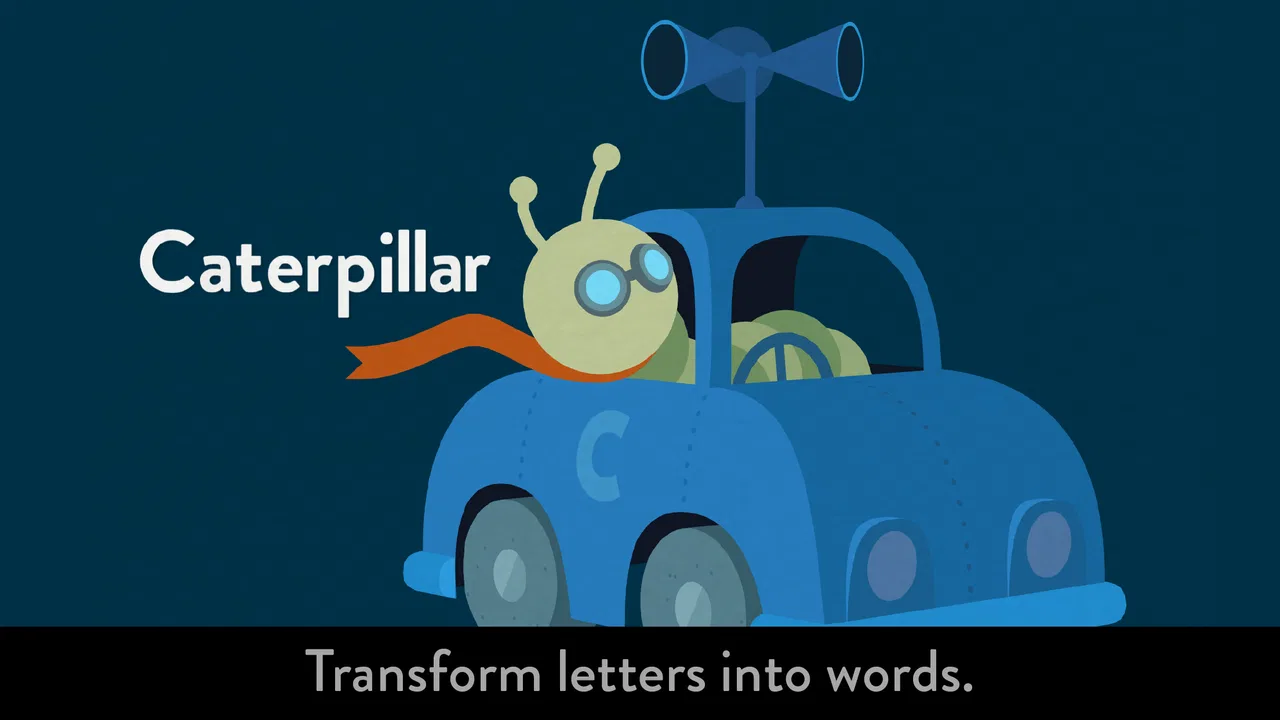
The basic idea is simple: each letter acts as a starting point for an animated transformation. Rather than presenting a static symbol and asking a child to repeat its name, the game encourages the player to interact with the letter and see what it does. That approach gives the alphabet a sense of character. A child is not merely looking at an “A” or a “B”; they are investigating a shape and discovering how it behaves.
You May Also Like

 Blood Strike: 2.5 Anniversary
Blood Strike’s Loadouts Turn Every Drop Into a Tactical Gamble
A close look at Blood Strike’s custom loadouts: how fast access to signature weapons reshapes its battle royale rhythm, rewards preparation, and narrows the gap between fights.

 Pandora - Music & Podcasts
Pandora’s Music Is Easy to Start, but Harder to Recover
Pandora’s strength is its low-effort path from a seed to a station. Its weak spot is how much confidence it asks you to place in connection, setup, and quiet recovery.

 8 Ball Pool
 Is Built on Rivalries, Rematches, and Routine
A close look at the rivalries, rematches, shared routines, and unanswered safety questions that turn a quick pool match into a persistent mobile community.

 Samsung Music
’s Quiet Strength Is Playing What You Already Own
Its reach comes less from spectacle than from dependable access to a personal library. That simplicity is both the app’s strongest retention engine and its ceiling.

 AccuWeather: Weather Radar
AccuWeather Review: A Quick, Clear Forecast for Everyday Decisions
For everyday plans, the best forecast is the one you can understand quickly. AccuWeather makes rain timing, radar, and local conditions easy to act on, with a few trade-offs.

 Hill Climb Racing
Why Hill Climb Racing Still Turns Crashes Into One More Run
A tiny car, a bumpy hill and one more upgrade: Hill Climb Racing keeps resurfacing because its simple chaos makes every near-miss feel personal.
More From Our News Desk
View All News


I found that design especially effective for children who lose interest when learning feels like testing. There is no pressure to answer correctly before moving on, and the experience does not make a child feel behind. The reward is the animation itself. That makes the game easy to introduce during a quiet moment, perhaps before bedtime, while waiting at a restaurant, or during a short parent-and-child activity at home.
The visual work is the main reason the app stands apart from ordinary alphabet utilities. Many early-learning apps surround letters with bright buttons, reward badges, menus, and mini-games. Here, the letter remains the focus. The screen feels more like a little stage than a dashboard. I appreciate that restraint because it gives children room to notice movement, shape, and timing instead of constantly chasing the next reward.
Sound also contributes to the atmosphere, but the experience is primarily visual and tactile. I would use it with the device volume at a comfortable level and sit nearby for the first few sessions. Children may understand the interaction quickly, yet the transformations can also become a conversation starter: “What does that shape remind you of?” or “Can you find the letter we saw earlier?” Those questions turn passive viewing into a more useful shared activity.
Why the interaction feels memorable
The clever educational choice is that the app treats letters as objects with personality. Young learners often remember an unusual image more easily than an abstract explanation, and the transformations give each symbol a visual hook. In my experience, that can help a child recognize a letter later because the letter is attached to a moment of discovery rather than only to a spoken name.
There is also value in the lack of a single correct pace. A child can linger over an interaction, repeat it, or move on when curiosity fades. That flexibility is useful for mixed-age families. A preschooler may enjoy the motion itself, while an older child can talk about letter forms, sounds, or words beginning with the selected symbol. Adults can adjust the conversation without needing a separate difficulty setting.
One practical tip is to avoid treating every session as a complete alphabet lesson. I got more from choosing a few letters and connecting them to the child’s surroundings. After exploring a letter, I might ask the child to spot that shape on a cereal box, a sign, or a book cover. This makes the app a launch point for real-world recognition instead of an isolated screen activity.
Another useful approach is to let the child lead while the adult supplies language. Rather than naming every transformation immediately, I would ask what the child sees first. That pause encourages observation and gives the app more educational value than simply tapping through the entire sequence. It also reveals whether the child is interested in the alphabet itself or mainly in the animation.
What it does better than typical alphabet apps
Compared with flashcard apps, this game has a stronger sense of wonder. Flashcards are often better when the goal is quick repetition, but they can become predictable. Metamorphabet is better at making a child want to return to a letter because the letter feels like an event. The difference is not just cosmetic; it changes the role of the adult. Instead of correcting answers, I found myself watching, asking questions, and following the child’s interpretation.
Compared with phonics-focused programs, however, the balance changes. A dedicated phonics app will usually be the better choice for practicing letter sounds, blending, or early word construction. This game can support those conversations, but it should not be mistaken for a systematic reading curriculum. If your main concern is helping a child connect “M” with a particular sound and then build words, you will probably need another resource alongside it.
It also differs from reward-heavy children’s games. There are no points or competitive goals shaping the session, which I see as a strength for relaxed exploration. On the other hand, children who need explicit objectives may not know what to do after the novelty of the first interactions wears off. The app asks for curiosity rather than performance, and that will suit some personalities much more than others.
Where the experience falls short
The biggest limitation is the narrowness of the learning structure. The alphabet is present, but the surrounding teaching framework is light. I would not choose it as the only app for a child beginning to read. There is no reason to expect it to cover the full progression from recognizing symbols to understanding sounds, spelling, and sentences, because its appeal comes from creative exploration rather than step-by-step instruction.
That can create a mismatch between what adults expect and what the game actually offers. Someone searching for progress tracking, lessons, quizzes, or a clear practice routine may find the experience too open-ended. It is possible to spend time enjoying the animations without reinforcing letter names or sounds unless an adult joins in and adds that context.
The same simplicity that makes it elegant can also limit replay value for children who want a traditional game loop. Once a child has explored the alphabet several times, the experience may become something they revisit occasionally rather than a daily practice tool. I consider that a fair trade for its artistic focus, but it is still a trade. Families looking for a long-term curriculum should budget for a companion app or offline activities.
There is also a social limitation: the game works best when the child has someone nearby to turn visual play into language practice. Independent use is possible, but the educational benefit is stronger when a parent, teacher, or older sibling asks follow-up questions. If you need an app that teaches quietly and records a child’s progress without adult involvement, this is not the most practical fit.
Who should spend time with it
I would recommend it most strongly to families with preschool-aged children who enjoy visual experimentation, gentle pacing, and open-ended play. It is particularly appealing for children who are drawn to drawing, animation, puzzles, or objects changing shape. The Everyone content rating also makes it comfortable to consider for a broad family setting, though an adult’s presence still improves the learning experience.
It can be useful in a classroom corner as a short invitation to explore letters, especially when the teacher follows it with physical activities. A child might interact with a letter, then form it with modeling clay, trace it in sand, or search for it in a picture book. That sequence uses the app for inspiration while keeping the lesson grounded in touch, speech, and movement.
For a realistic home routine, I would use it after a child has encountered a new letter in a story or conversation. Spend a few minutes exploring the matching letter, then ask the child to name objects that begin with its sound. The app supplies the memorable visual moment; the household conversation supplies the repetition. This is more effective than opening it randomly and expecting the game alone to produce measurable reading progress.
I would be more cautious about recommending it to an older child who already expects levels, goals, and challenges. The lack of conventional game mechanics may feel slow to a player who wants constant feedback. I would also skip it as a primary purchase for a parent specifically seeking handwriting instruction, pronunciation practice, or formal assessment. A focused learning tool will serve those needs better.
Practical details before downloading
Metamorphabet is a paid game at $5.99, so the decision depends on whether you value a polished, focused experience more than a large collection of lessons. I prefer this kind of one-time purchase model for a child’s quiet creative play when the alternative is an app crowded with distractions, although families wanting broad academic coverage may get more practical value from a larger educational suite.
It has an average rating of 4.6 from around 240 ratings, with about 66 written reviews, and the game has passed 10 thousand installs. Those figures suggest a smaller, focused audience rather than a mass-market learning platform. I would read that as consistent with its identity: it is a distinctive alphabet experience, not an all-purpose school companion.
The game was released on January 23, 2016, and its current version is 1.4. It requires at least iOS 12, which is important if you are installing it on an older device. I would check the operating system before purchasing, particularly when setting up a hand-me-down iPad or phone for a child. Compatibility is a small detail, but it is frustrating to discover it only after deciding the app suits your family.
Because the experience is so centered on direct interaction, I would also prepare the device before handing it over. Disable unrelated notifications, choose a comfortable brightness level, and decide whether the child will explore alone or with an adult. Those simple steps keep the focus on the letters and make the session feel intentional rather than like another random distraction.
My verdict after using it
Vectorpark has made an alphabet game that succeeds by refusing to behave like a conventional worksheet. Its strongest achievement is emotional: it makes letters feel alive, surprising, and worth investigating. That can be genuinely helpful for building familiarity, especially when a child is still developing an interest in symbols and language.
My recommendation comes with a clear boundary. Buy it for imaginative alphabet exploration, shared parent-child play, and a visually memorable introduction to letter shapes. Do not buy it expecting a complete reading course, phonics sequence, handwriting trainer, or progress-reporting system. Those are different jobs, and another educational app will handle them more directly.
For me, the best way to use it is as a bridge between screen play and real-world language: explore a letter, talk about what happened, then find that letter in books and everyday objects. Used that way, Metamorphabet offers something many standard alphabet apps miss—a reason for a child to feel curious before being asked to memorize. That makes it worth considering for families who want learning to begin with wonder.
FAQs for Metamorphabet
01What is Metamorphabet?
Metamorphabet is an interactive educational game that helps children explore letters, words, and language through playful animation. Each letter reacts to touch and transforms into a related object, animal, or idea. Rather than following traditional lessons or timed challenges, the app encourages curiosity and discovery, making it suitable for young children who are beginning to recognize the alphabet and enjoy experimenting with interactive visuals.
02What age group is Metamorphabet suitable for?
Metamorphabet is mainly designed for preschool and early school-age children, although the ideal age can vary depending on a child’s reading ability and interest in language. Younger children can enjoy the colorful transformations and sound effects, while older children may appreciate discovering how letters change into words and images. Parents should still supervise younger users and adjust expectations according to their development.
03How does the gameplay work in Metamorphabet?
The gameplay is simple and easy to understand: children interact with letters by tapping, dragging, or otherwise touching elements on the screen to trigger animations and transformations. There are no complicated controls, difficult levels, or strict objectives. The experience is focused on exploration, allowing children to move through the alphabet at their own pace while discovering visual and audio responses to their actions.
04Does Metamorphabet require an internet connection or contain advertisements?
Metamorphabet is intended to provide a focused, distraction-free experience, and its core interactive content can generally be enjoyed without relying on a constant internet connection. Availability of updates or store-related features may still require access to the internet. Parents should check the current store listing for the exact version details, including advertising, in-app purchases, and any platform-specific restrictions before downloading.
05Is Metamorphabet educational and safe for children?
Metamorphabet offers educational value by introducing children to letters, vocabulary, pronunciation, visual associations, and cause-and-effect interaction in a playful format. It does not replace structured reading instruction, but it can work well as a supplementary activity. The app’s child-friendly design is appropriate for independent exploration, although parents should review device settings, privacy permissions, and screen-time limits before allowing regular use.
Pros
- Playful letter animations make learning the alphabet engaging.
- Simple touch controls are suitable for young children.
- Works well as a quiet
- screen-based activity without time limits.
- Bright visuals and sound effects keep children interested.
- Encourages curiosity through interactive exploration of each letter.
Cons
- Limited replay value once children have discovered every letter.
- No structured lessons
- progress tracking
- or learning assessments.
- Some animations may be too abstract for children learning letter sounds.
- Requires supervision to connect the playful content with reading skills.
- The app offers little challenge for older children or advanced learners.

Metamorphabet
Gallery